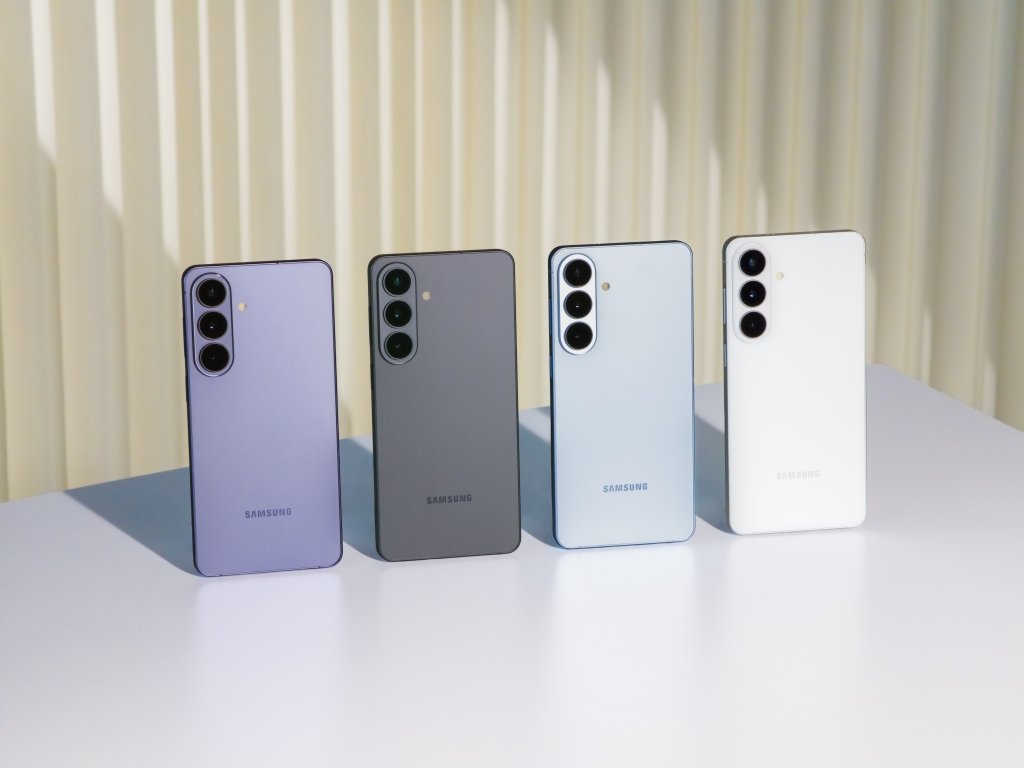
Samsung One UI 9: New Features, Eligible Galaxy Phones & Update Status
Introduction: Samsung One UI 9 Is Rolling Out
Samsung’s latest software update is finally moving beyond the newest Galaxy devices. Samsung One UI 9 officially began rolling out to the Galaxy S26, S26+ and S26 Ultra on September 16, 2026, after first debuting on the Galaxy Z Fold8 Ultra, Z Fold8 and Z Flip8. Samsung says the update will gradually expand to more Galaxy devices, with availability depending on the model, market and carrier.
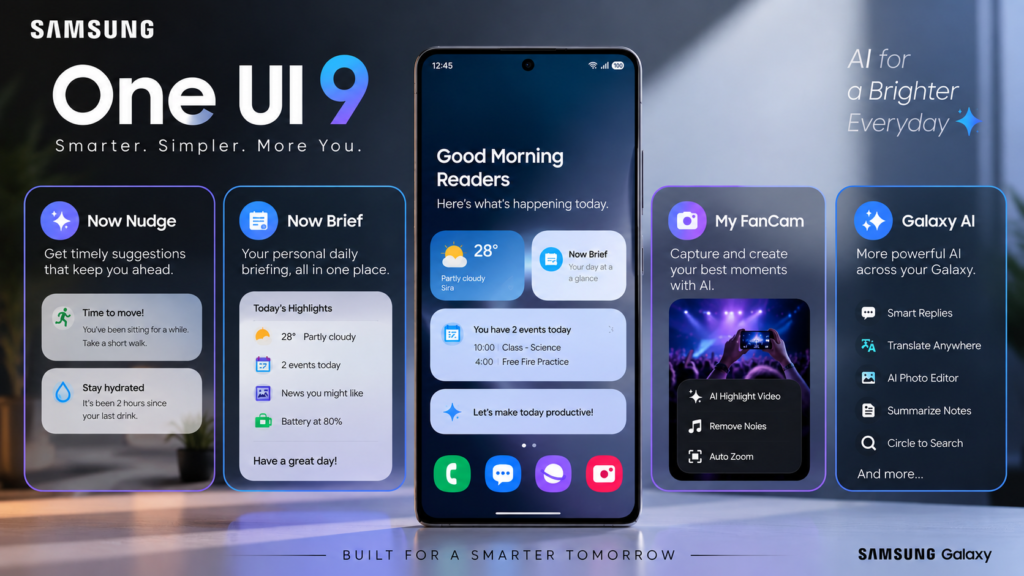
Built on Android 17, the update focuses heavily on Galaxy AI, personalization, security and making everyday tasks easier. New features include enhanced Now Brief and Now Nudge experiences, My FanCam for automatically keeping a selected person centered in videos, improved translation and scanning tools, and new device-care features.
But the biggest question for Galaxy owners is simple: Is your phone getting Samsung One UI 9, and when will the update arrive?
In this guide, we’ll look at the major new features, confirmed rollout information, eligible-device details and how you can check for the update on your Galaxy device.
Samsung’s official One UI 9 announcementhttps://news.samsung.com/us/samsung-begins-official-rollout-one-ui-9-latest-galaxy-experiences-devices/
What’s New in Samsung One UI 9?
Samsung One UI 9 brings a mixture of AI-powered tools, visual changes and practical improvements designed to make Galaxy devices easier to use. The update is built on Android 17 and introduces several features across communication, media, personalization and device management.
🤖 Smarter Galaxy AI
One of the biggest areas of attention is Galaxy AI. Samsung has expanded AI-powered features so they can assist with everyday tasks rather than simply providing standalone tools.
Now Brief can provide personalized information at relevant times, while Now Nudge can suggest useful actions based on what you’re doing on the phone. Samsung also highlights improvements to translation and image-related tools.
🎥 My FanCam
For people who record concerts, sports or other events, My FanCam is designed to automatically keep a selected person centered in the frame while recording.
That means you can focus more on enjoying the moment instead of constantly adjusting the camera position.
🔒 More Attention to Security
Samsung is also putting greater emphasis on privacy and security in One UI 9. The company says the update includes additional protections and improvements designed to keep Galaxy devices and personal information safer.
Overall, Samsung One UI 9 isn’t just about changing the appearance of Galaxy phones. Samsung is positioning the update around AI-powered assistance, personalization, security and more convenient everyday interactions.
Galaxy AI Gets Smarter With One UI 9
One of the biggest focuses of Samsung One UI 9 is Galaxy AI. Samsung has added more context-aware features designed to help users complete everyday tasks with fewer steps.
AI tools to save time https://itshk.in/ai-tools-to-save-time/
🤖 Now Nudge
Now Nudge can provide suggestions based on what you’re doing on your Galaxy device. For example, when you’re discussing plans in a supported messaging app, it can surface relevant information or actions without requiring you to leave the conversation.
📝 A More Personalized Now Brief
Samsung is also expanding Now Brief with Generative and Editable Cards. Users can customize the information shown in their daily brief, including areas such as health, weather and video.
🎥 My FanCam
My FanCam automatically keeps a selected person centered in recorded video by intelligently reframing the footage. This could be particularly useful for concerts, sports events or family moments where the subject keeps moving.
Samsung notes that feature availability can vary by device, country, language and region, so not every Galaxy phone will necessarily receive every AI capability.
Overall, Samsung One UI 9 is pushing Galaxy AI toward something more integrated into everyday phone use rather than treating AI as a collection of separate features.
Samsung One UI update information https://www.samsung.com/in/support/mobile-devices/one-ui-software-update/?msockid=1cbe641e249a63d22945722025a562c6
Security and Privacy Improvements
Security is another important part of Samsung One UI 9, especially as Galaxy phones handle more personal information and AI-powered features.
Samsung says One UI 9 includes Privacy Alerts that can identify potentially risky app behavior, including unnecessary attempts to access sensitive information or permissions. The update also uses machine-learning-based protection to warn users when Samsung Browser detects potentially malicious websites.
🔐 More Control Over Galaxy AI
Samsung is also giving users more control over how Galaxy AI processes personal information. Depending on the feature, users can choose whether certain AI processing happens on the device or in the cloud. Samsung’s Knox security platform and Knox Vault are also part of its broader protection system.
These improvements are particularly relevant as AI becomes more integrated into everyday smartphone functions. Rather than treating AI and privacy as completely separate areas, Samsung is trying to build security controls directly into the Galaxy experience.
Keep in mind that security and AI features can vary by device and region, so an older Galaxy phone may not receive every One UI 9 feature.
Eligible Galaxy Phones and Tablets
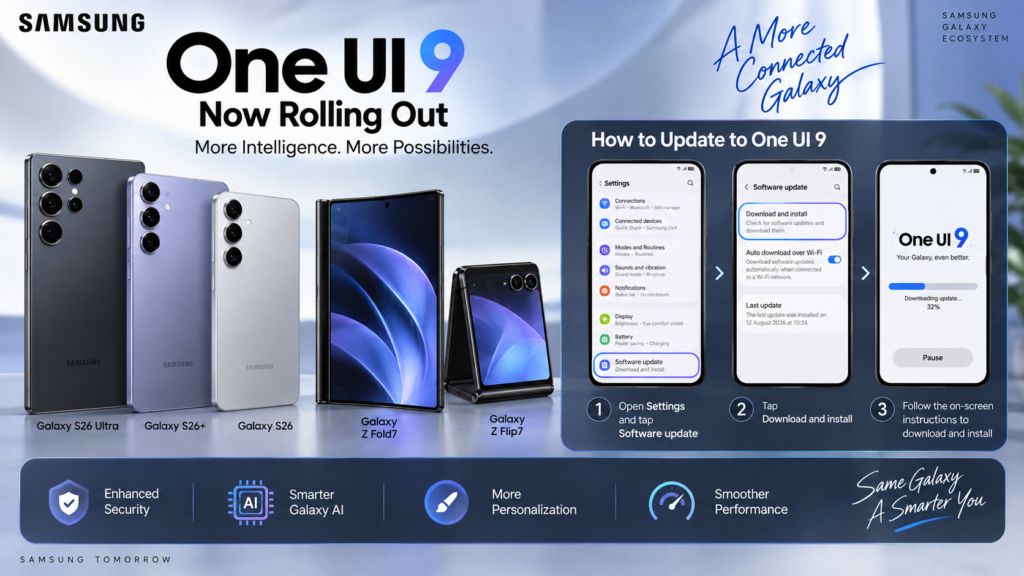
The Samsung One UI 9 rollout is happening in phases rather than reaching every Galaxy device at the same time. Samsung says the update first arrived on the Galaxy Z Fold8 Ultra, Z Fold8 and Z Flip8, followed by the Galaxy S26 series rollout beginning September 16, 2026. More Galaxy devices are expected to receive the update as the rollout expands.
Samsung’s official information confirms One UI 9 compatibility for a growing range of Galaxy devices, but availability can vary by model, country, carrier and region. Samsung specifically recommends checking the Samsung Members app for device-specific compatibility and release information.
📱 Devices Already Part of the Rollout
The current official rollout includes:
Galaxy S26
Galaxy S26+
Galaxy S26 Ultra
Galaxy Z Fold8 Ultra
Galaxy Z Fold8
Galaxy Z Flip8
Samsung has also confirmed One UI 9-related support and features for additional recent Galaxy S, Z and Tab devices as the rollout expands.
⚠️ Why You Should Check Your Exact Model
Don’t rely on a generic internet list claiming that every Galaxy S, A, M or Z model will receive One UI 9. Samsung notes that update schedules and supported functions can change depending on the device model, country and network operator.
For the most accurate information, check Samsung Members or your phone’s software-update section rather than assuming that another Galaxy model’s rollout applies to yours.
When Will Your Galaxy Get One UI 9?
The Samsung One UI 9 rollout is happening in stages. Samsung started the wider rollout on September 16, 2026, with the Galaxy S26, S26+ and S26 Ultra, after One UI 9 debuted on the Galaxy Z Fold8 Ultra, Z Fold8 and Z Flip8. Samsung says the update will gradually expand to additional Galaxy devices.
The exact timing can differ depending on your Galaxy model, country and mobile carrier. Samsung also warns that update schedules and supported features can change during its rollout process.
So if your phone hasn’t received the update yet, that doesn’t necessarily mean it’s excluded. The safest approach is to check directly on your device rather than relying on unofficial rollout lists.
📲 How to Check
Go to:
Settings → Software update → Download and install
Your phone will check whether an update is available for your specific device.
If the update isn’t showing yet, check again later as Samsung continues expanding the rollout.
How to Check and Install Samsung One UI 9
If Samsung One UI 9 is available for your Galaxy device, you can check for it directly from the phone’s settings. You don’t need to download the update from a third-party website.
📱 Check for the Update
Open Settings.
Tap Software update.
Select Download and install.
Wait while your phone checks for available updates.
If One UI 9 is available, follow the on-screen instructions to download and install it.
Samsung recommends keeping your device connected to a stable Wi-Fi network and ensuring that it has sufficient battery before starting a major software update.
🔄 What If the Update Isn’t Showing?
Don’t panic if One UI 9 isn’t available yet. Samsung is releasing the update in phases, and availability can depend on your device, country and carrier.
You can also check the Samsung Members app for announcements and device-specific update information.
Avoid downloading unofficial firmware packages simply because an online list claims your phone is eligible. Waiting for the official OTA update is generally the safer approach.
Free Fire lag https://itshk.in/free-fire-lag-high-ping-android/
Frequently Asked Questions About Samsung One UI 9
Is Samsung One UI 9 based on Android 17?
Yes. Samsung One UI 9 is Samsung’s software experience based on Android 17.
Which Galaxy phones are getting One UI 9?
Samsung is expanding the rollout in phases. The Galaxy S26 series and the latest Z Fold and Z Flip models are among the devices officially included in the initial rollout. Eligibility for other Galaxy devices depends on the specific model, region and carrier.
How can I check if One UI 9 is available?
Go to Settings → Software update → Download and install. Your phone will check Samsung’s servers for an available update.
Why haven’t I received One UI 9 yet?
Samsung releases major updates in stages. Your phone may receive the update later depending on its model, country or carrier.
Does every Galaxy phone get every One UI 9 feature?
No. Some features—particularly Galaxy AI features—can vary according to the device’s hardware, language, region and other requirements.
Should I install One UI 9 immediately?
If the official update is available for your device, you can review the update information and install it when convenient. Before a major software update, it’s sensible to keep important data backed up and ensure the phone has sufficient battery and storage.
Conclusion: Is One UI 9 Worth the Hype?
Samsung One UI 9 brings Galaxy users a combination of new AI capabilities, personalization options, security improvements and everyday usability features. The rollout has started with Samsung’s newest flagship devices and is gradually expanding to more Galaxy models.
The most interesting part is how Samsung is making Galaxy AI more integrated into everyday phone use, while also giving greater attention to privacy and security.
If your Galaxy hasn’t received the update yet, don’t assume you’ve been left out. Samsung’s phased rollout means availability can take time depending on your device, region and carrier.
sci-fi technologieshttps://itshk.in/sci-fi-technologies-2026/
Have you received One UI 9 on your Galaxy yet? And which new feature are you most excited to try? Let us know in the comments! 📱🔥